AI-native WordPress development builds WordPress websites that AI systems can read, understand, and cite. These AI systems include ChatGPT, Gemini, Perplexity, and Claude. The approach treats AI crawlers and large language models as a second audience. That audience is equal in priority to human visitors.
After 12 years of building WordPress sites, I can tell you this is the biggest shift I have seen. Bigger than the block editor. Bigger than Full Site Editing. WordPress 7.0 launches April 9, 2026. It makes AI-native development possible at the platform level for the first time. And most agencies still don’t know how to do it.
Here is what it means, why it matters, and how it works.
Why AI-Native Development Matters Right Now
The way people discover businesses online is splitting into two. Google search is no longer the only channel. ChatGPT alone processes over 2.5 billion queries daily. Google AI Overviews now appear in roughly 30% of U.S. desktop searches. Perplexity handles 200 million daily queries with its own index of over 200 billion URLs.
These AI platforms do not show a list of links. They synthesize answers and cite specific sources. If their crawlers cannot read your WordPress site, you are invisible. If your content is locked inside JavaScript that AI bots cannot render, the same result. You lose this entire discovery channel.
The numbers tell the story. Gartner projects a 25% decline in traditional search engine volume by 2026. Zero-click searches now dominate Google. Users get their answer without clicking on any results. These searches rose from 56% in 2024 to 69% in 2025.
Ahrefs found that 80% of pages cited by large language models do not rank in Google’s top 100. That stat changed my thinking. Ranking on Google does not guarantee you will appear in AI answers. You need specific architectural decisions built into your WordPress site. That is what AI-native development delivers.
How AI-Native Differs from Traditional WordPress Development
Traditional and AI-native WordPress development produce different outcomes. They optimize for different systems. Here is a concrete breakdown.
Traditional WordPress Development
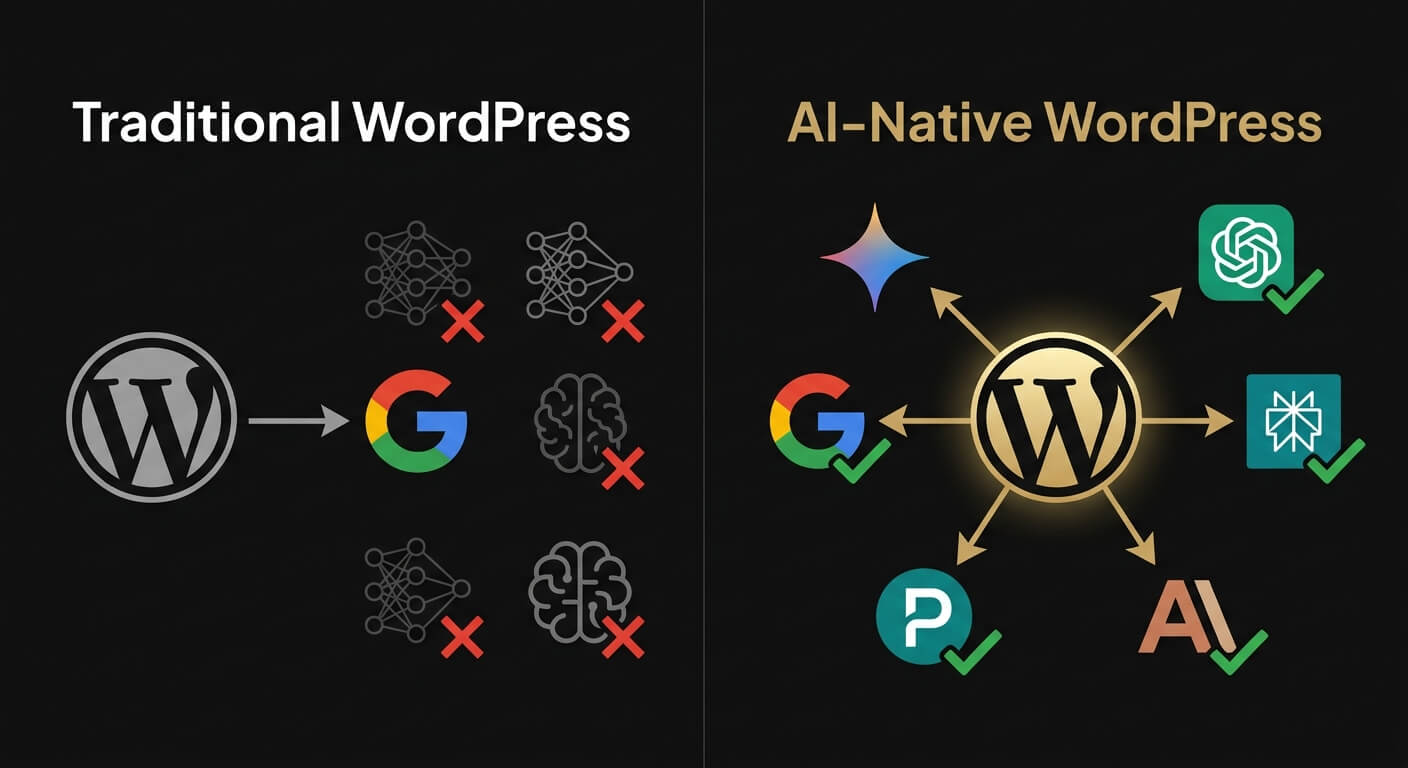
Traditional WordPress development focuses on human visitors and Google. The typical approach uses page builders like Elementor or Divi for visual design. It relies on keyword-targeted content and plugins for SEO metadata. Google is the primary discovery channel.
A ZipTie.dev audit of over 500 websites found the problem. GPTBot and ClaudeBot have limited JavaScript rendering. Sites relying on client-side JavaScript are invisible to two of the four major AI crawlers. Most page builders output JavaScript-dependent layouts.
AI-Native WordPress Development
AI-native WordPress development keeps everything that works about the traditional approach. It adds a second layer. Every architectural decision accounts for both human visitors and AI systems.
The core differences are clear. Server-side rendered HTML instead of client-side JavaScript. Semantic HTML5 elements instead of generic div wrappers. JSON-LD structured data feeding Google’s Knowledge Graph. Content structured in self-contained passages of 200 to 500 tokens. Each passage is citable without surrounding context. AI crawler access is configured in robots.txt for GPTBot, ClaudeBot, PerplexityBot, and OAI-SearchBot.
The discovery model changes, too. Traditional WordPress targets one platform: Google. AI-native WordPress targets five. Those five are Google organic, Google AI Overviews, ChatGPT, Perplexity, and Claude. Each uses a different retrieval system. Only 11% of domains are cited by both ChatGPT and Perplexity. Optimizing for one does not guarantee visibility on the other.
The Five Technical Pillars of AI-Native WordPress
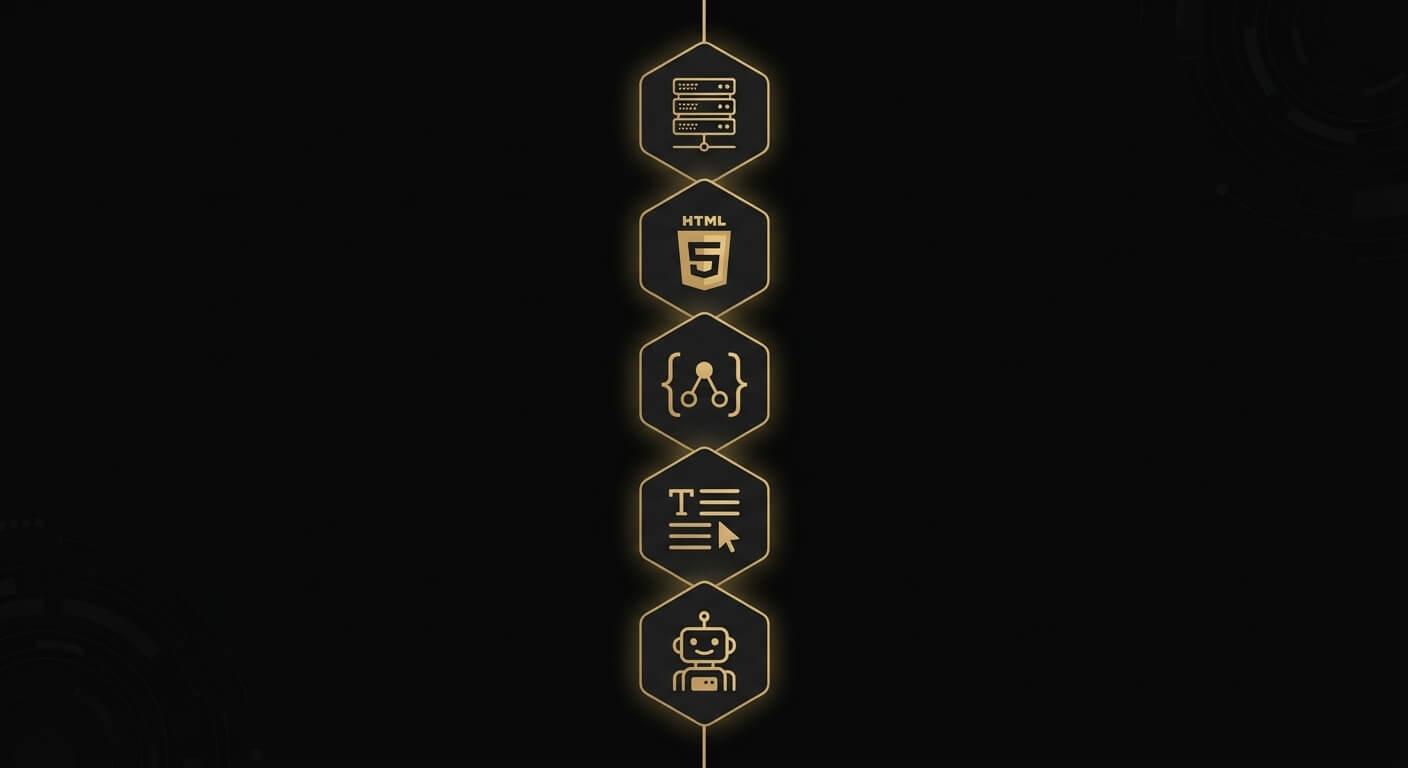
AI-native WordPress rests on five technical pillars. Each one addresses a specific requirement for AI crawling, processing, and citation.
1. Server-Side Rendering
Server-side rendering is the single most important technical requirement. GPTBot, ClaudeBot, and PerplexityBot do not execute JavaScript. If your WordPress theme renders content on the client side, AI crawlers see an empty page.
WordPress’s native Gutenberg block editor outputs server-side HTML by default. AI-native developers use Gutenberg blocks instead of page builders. No Elementor. No Divi. No WPBakery. Clean, server-rendered HTML that every AI crawler can read.
I learned this the hard way on a client project in 2024. The site ranked well on Google but was absent from ChatGPT responses. The culprit: an Elementor-built layout that relied on JavaScript rendering. We rebuilt it with native blocks. The site started appearing in AI citations within weeks.
2. Semantic HTML5 Structure
AI systems parse HTML to understand what content means. Semantic HTML5 elements give them that context. An <article> tag tells the AI this is a self-contained piece. A <main> tag identifies the primary content area. A <time> element signals when content was published or updated.
WordPress Gutenberg outputs semantic HTML by default. That is another advantage of staying within the native block ecosystem.
3. JSON-LD Structured Data
JSON-LD structured data is how your WordPress site talks to AI systems. It uses a machine-readable format. Google and Microsoft both confirmed in March 2025 that they use Schema Markup for generative AI features.
Schema App reported a 19.72% increase in Google AI Overview visibility. The increase came after implementing entity-linking structured data.
For an AI-native WordPress site, required schema types include Organization, Person, Service, Article, and FAQPage. At Suzaku Productions, we implement JSON-LD schema on every page during the build.
4. Passage-Level Content Optimization
Large language models do not read entire pages. They extract passage-level chunks of about 200 to 500 tokens. The Princeton GEO research paper was published at ACM KDD 2024. It tested 10,000 queries. Content with clear Q&A formatting is 40% more likely to be cited by AI systems. Adding statistics improved visibility by 22%. Adding expert quotations improved it by 37%.
What does this mean for WordPress content? Every H2 section should start with a direct answer in the first 40 to 60 words. Paragraphs should avoid pronouns that reference earlier content. Each section must make sense on its own. It should work even when pulled out of context for an AI response. Technical terms need inline definitions. Stats need named sources.
Writing this way feels different from what most WordPress sites follow. But AI systems can extract and cite this kind of content. They ignore sites that are not built for it.
5. AI Crawler Accessibility
An AI-native WordPress site allows AI crawlers in its robots.txt file. The list includes GPTBot, ClaudeBot, PerplexityBot, OAI-SearchBot, Claude-SearchBot, and Google-Extended. Many WordPress sites block these crawlers by default; poorly configured security plugins are to blame.
In addition to robots.txt, AI-native sites include an llms.txt file at the domain root. The specification is still debated. We treat it as a low-effort addition worth implementing. Semrush tested it and saw minimal impact. Mintlify co-developed llms-full.txt with Anthropic. Their data showed more positive results.
The IndexNow protocol is also part of the stack. IndexNow sends instant indexing notifications to Bing. Bing powers ChatGPT’s search backend. According to Wellows’ analysis, sites with properly configured IndexNow see AI citations appear 3 to 4 weeks faster.
How WordPress 7.0 Changes Everything
WordPress 7.0 releases on April 9, 2026, during WordCamp Asia. It is the first major CMS to build AI infrastructure directly into its core. Not a plugin. WordPress is becoming an AI-native platform.
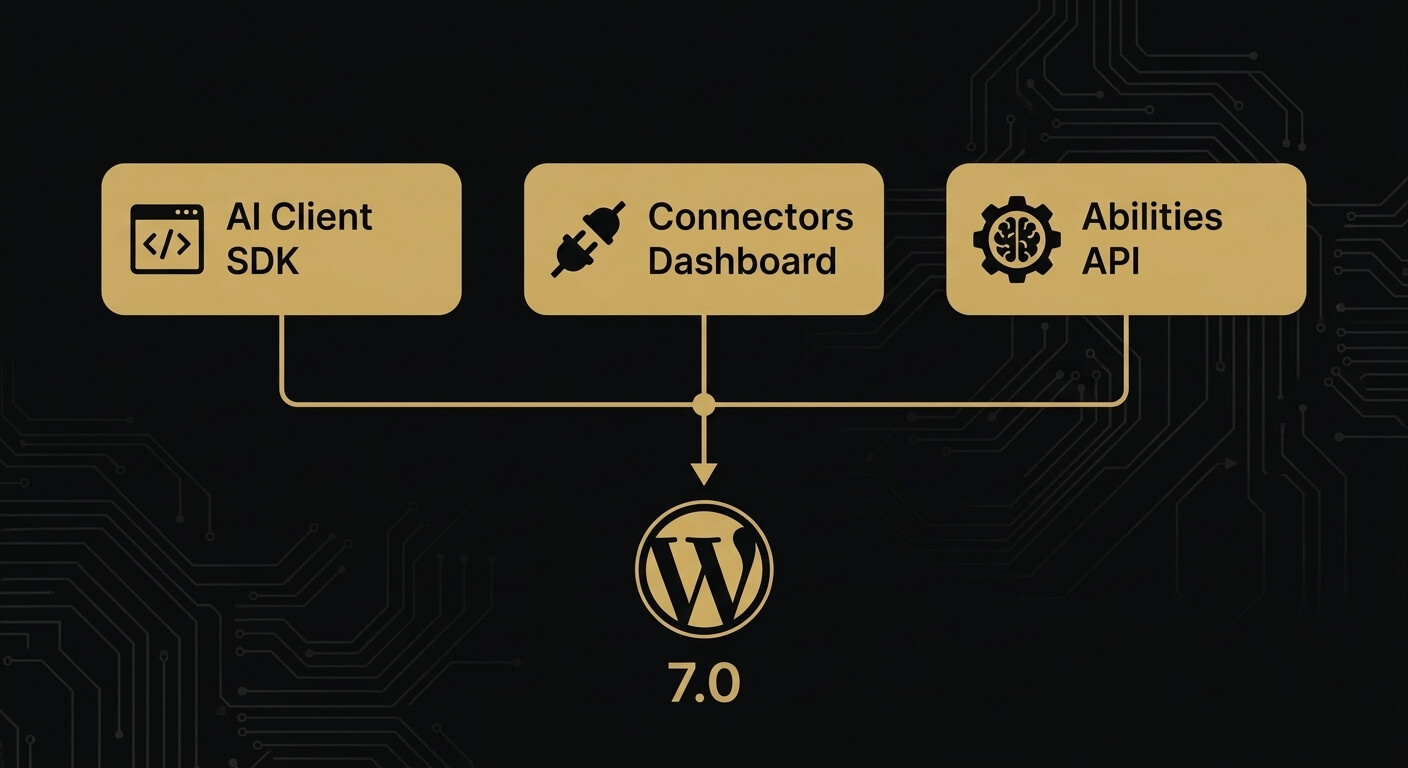
Three features matter for AI-native development.
The AI Client SDK. WordPress 7.0 introduces a core-level JavaScript API called wp.aiClient. It allows plugins and themes to integrate any AI model from any provider. OpenAI, Anthropic, Google, or any supported service. This standardizes how WordPress communicates with AI. It replaces the fragmented plugin-by-plugin approach.
The Connectors Dashboard. A new screen under Settings > Connectors in wp-admin manages AI provider connections. Site owners can add, remove, and switch between AI providers without modifying code. The AI Connectors Screen was added in RC1 as a supporting requirement for the release.
The Abilities API. Plugins and themes can declare their capabilities to AI assistants. When an AI agent interacts with a WordPress 7.0 site, it can discover what the site can do. It sees capabilities beyond static content. WordPress becomes an active participant in the AI ecosystem.
WordPress 7.0 also introduces real-time multi-user collaboration. It ships a redesigned admin interface with DataViews. A Command Palette is accessible via Cmd+K or Ctrl+K. The release has been in testing since Beta 1 on February 20, 2026. RC2 landed March 27, 2026.
WordPress powers approximately 42.6% of all websites according to W3Techs. When the most-used CMS ships native AI capabilities, every WordPress agency needs to understand what changed. Read our full breakdown in WordPress 7.0: Everything Your Business Needs to Know Before April 9.
Who Needs AI-Native WordPress Development
Any business that depends on being found online needs this. AI search is growing fast. Some categories benefit more than others.
B2B companies. Procurement managers and executives now use ChatGPT and Perplexity alongside Google. Seer Interactive’s B2B benchmarks show ChatGPT referral conversion rates of 15.9%. Google organic converts at 1.76%. That is a 9x conversion premium. B2B companies that appear in AI answers capture higher-intent traffic.
Professional services firms. Consulting, legal, accounting, and agency businesses depend on expertise to win clients. AI systems evaluate trust signals through structured data, author credentials, and content depth. An AI-native site makes these signals explicit and machine-readable.
Content-heavy websites. Media companies, publishers, and brands with large content libraries have the most to gain. Each piece of content is a potential citation source for AI systems. But it must be structured for extraction.
E-commerce businesses. AI is beginning to make direct product recommendations. OpenAI’s Agentic Commerce Protocol and ChatGPT Shopping features are changing how consumers find products. WooCommerce powers over 20% of all WordPress sites. These sites need product data that AI agents can parse and act on.
Anyone competing in high-value markets. If your competitors appear in AI-generated answers and you do not, you lose. That channel converts at 4.4x the rate of traditional organic search.
What Suzaku Productions Does Differently
Suzaku Productions is a Bangkok-based WordPress agency. We have been building WordPress sites since 2014. In 2026, we made a deliberate choice: specialize exclusively in AI-native WordPress development.
Here is what that means in practice. We do not use page builders. Every site runs on Gutenberg-native blocks with clean, server-rendered HTML. We implement JSON-LD structured data across every page during the build. We configure AI crawler access from day one. We structure content at the passage level for AI extraction. We build on WordPress 7.0 with the AI Client SDK activated. We have been testing every RC build since February. We know this platform because we have spent 12 years on it.
Looking for an agency that understands both WordPress and AI search? Book a discovery call or explore our AI-Native Company Website service. You can also learn more about the WordPress 7.0 migration process.
Frequently Asked Questions
Is AI-native WordPress development the same as GEO (Generative Engine Optimization)?
GEO is the broader discipline. It covers optimizing content for AI-generated search results on any platform. AI-native WordPress development is GEO applied specifically to WordPress. It takes full advantage of WordPress 7.0’s native AI capabilities. GEO works on any CMS. AI-native WordPress development is WordPress-specific. It includes block-based architecture, server-side rendering, and activation of the AI Client SDK.
Do I need WordPress 7.0 for AI-native development?
Many AI-native principles work on earlier WordPress versions. Server-side rendering, semantic HTML, structured data, and AI crawler configuration all apply. But WordPress 7.0 adds native AI integration through the AI Client SDK, Connectors dashboard, and Abilities API. No plugin can replicate these. If you are running an older version, consider the WordPress 7.0 migration as your first step.
How long does it take to build an AI-native WordPress site?
A typical AI-native WordPress website takes 4 to 8 weeks. A focused company site with 5 to 10 pages can be completed in 4 weeks. Larger projects with custom AI integrations may take 6 to 8 weeks.
How much does AI-native WordPress development cost?
Pricing depends on scope. A focused AI-native company website with core pages and blog typically ranges from THB 120,000 to THB 330,000. Enterprise projects with multi-language support or custom AI integrations are priced individually. Contact us for an estimate.
Can I convert my existing WordPress site to AI-native?
Yes. Suzaku Productions audits existing WordPress sites and identifies structural gaps. We implement AI-native architecture through technical optimization and content restructuring. The process covers server-side rendering, structured data, passage-level content formatting, and AI crawler configuration. Sometimes, a full rebuild on WordPress 7.0 is more efficient than retrofitting. Read more in our guide to building an AI-native company website on WordPress.
Author: Kevin Pantanella, Founder, Suzaku Productions. Bangkok-based WordPress AI-Native Expert since 2014.
Last Updated: March 31, 2026